Walnut Live · New for sales teams
Walnut, now on every sales call. Live, on your real product.
Walnut Live injects the prospect’s data and overlays their logo and numbers on the product your reps already demo, right in Chrome. Nothing to set up or recapture.
Trusted by leading B2B revenue teams


















One extension · one platform
Every kind of demo, at your sales team’s fingertips. One extension, one platform.
The Walnut Chrome extension now runs Walnut Live too: the interactive demos buyers explore and the live demo your AEs and SEs give, from one place.
Buyers explore on their own
Personalized demos buyers click through at their own pace.
- Website
- Email and deal rooms
- Before and after the call
Sellers present it live
Your real product, personalized for each prospect, on the call.
- AEs
- SEs and presales
- On the call
One extension, one platform, one Library: every demo your team gives, sent or live. No separate tool or login. Live is an add-on to your plan.
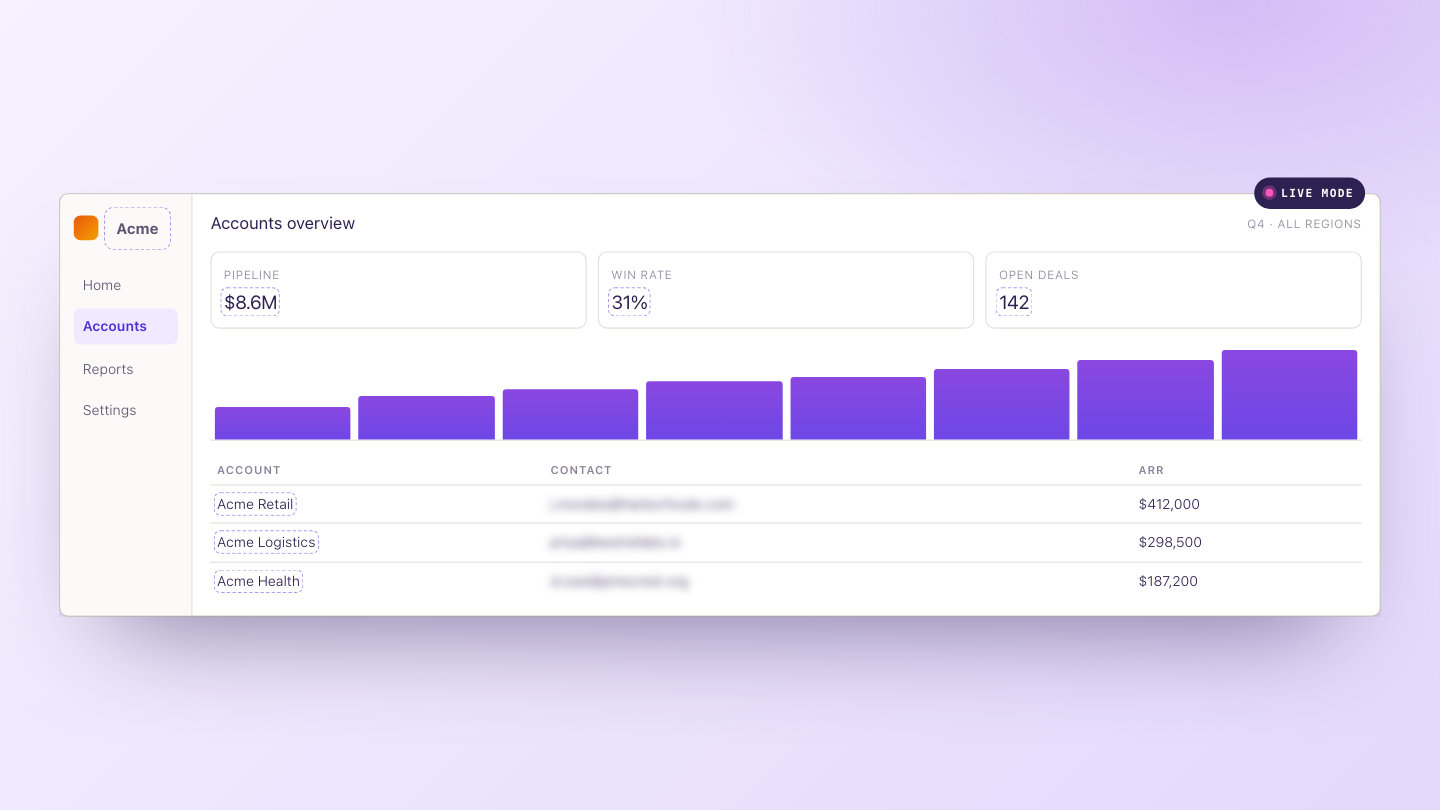
This is Walnut Live on a real product.
Click in. Watch an overlay go on, and the same screen become the prospect’s.
Two ways to use it
Whatever your demo environment, make it theirs.
Use data injection when your demo environment is thin, and an overlay when it’s full of real data. Either way, the product your SEs already know becomes this prospect’s for the call.
Inject their data into a thin environment.
Load realistic data for this prospect into the screens you demo: their kind of customers, their numbers, their charts.
WhenYour demo environment is empty or thin.Overlay their world on a full environment.
Put their logo on, rename accounts, and hide or blur real customer emails and names, just for this call.
WhenYour environment is full of real data.Beyond text
Change the charts. Guide the call.
An overlay isn’t only renamed labels. The numbers behind your charts change too, and guided steps can sit on your real product.
Change the numbers, and the chart redraws.
Point at a chart or table and its data opens in a sheet. Edit cells, labels, rows and trends, and everything stays consistent. Works with Highcharts, Recharts, visx and Nivo, and with data from fetch, GraphQL, WebSocket and more.
Add guided steps on your real product.
Build a walkthrough across pages, or tooltips per screen, as a tooltip, hotspot, modal or spotlight. AI writes the text for you.
Also in Live: find and replace rules across the page · text and image Variables · AI-generated replacement images · Insights on which overlays your team uses · version history, with restore.
How it works
Install, click, present. That’s the setup.
Not a new way to demo: a layer on the product your SEs already show. No mapping, no cloning, no sandbox to keep in sync.
Open your product in Chrome
Add the Walnut extension, open the product you already demo, and turn on Live mode.
Click anything and change it
Click an element to change it, double-click text to edit it, or describe the change in plain words and Live drafts it.
Save it, and the team presents it
Save your changes as an overlay in the shared Library. Any AE switches it on, Variables fill in the next prospect, and Present mode hides Walnut so only your product is on screen.
How it runs
It runs in your browser tab. Your product stays as it is.
What an overlay touches, what reaches Walnut, and what you need.
No proxy and no clone. Your product’s real data and backend are never changed, and switching the overlay off restores the page.
Walnut stores the overlay itself, and the site name each time it’s used, so Insights can show usage.
Page content is sent only for the AI features, with passwords removed and card-like numbers redacted.
Chrome 114 or later. Your prospect needs nothing: they watch your screen.
Put Walnut on your team’s next call.
Tell us about your sales team, and we’ll show you Walnut Live on your own product.
Already a Walnut customer? Start a free 14-day trial in Walnut.
Get Walnut Live for your sales team
Frequently asked questions
Walnut Live brings Walnut to your live sales calls. It lets your AEs and SEs personalize your real, live product for each prospect on their calls, right in the browser, through the Walnut Chrome extension. SEs inject prospect data into a thin environment, or change what’s on screen (logo, names, numbers, charts) and hide or blur real customer data, then save it as an overlay that anyone on the team switches on for a call. Nothing is captured or rebuilt: the product you demo is the real one.
Both. SEs and presales usually build overlays and share them with the team. AEs switch a shared overlay on for their call and present. Owners, admins and editors can build and share overlays; presenters switch shared overlays on but can’t edit them.
Chrome 114 or later, with the Walnut extension.
No. They watch your screen on the call. An overlay runs for the signed-in Walnut user, so it isn’t something you send. For a demo buyers explore on their own, use a Walnut interactive demo.
Yes. Import an existing DemoMonkey config, and its $name values become Walnut Variables.
Walnut Live is a fixed-price add-on to your Walnut plan, with a free 14-day trial first. Talk to your account team, or leave your details and we’ll walk you through it.
Interactive demos are captured and shareable: buyers explore them on their own. Walnut Live is your real product, personalized, on a call. Both live in the same Walnut account and the same Library.
Walnut customers: an admin or editor can start a free 14-day trial in Walnut, and the whole company gets Live for the trial. New to Walnut? Leave your details, and we’ll show you Walnut Live on your own product.